


Command
4.54.92K Reviews
App Specs
- Version
- 6.6.1
- Updated On
- License
- Free
- Downloads
- 500,000+
- Developer
- GSM Outdoors
- Categories
- Sports
- Platform
- Android, iOS
Screenshots
 Analysis by AppCompare
I spent time with Command as a dedicated control app for Stealth Cam and Muddy cellular trail cameras, and its purpose became clear very quickly: it is meant to put camera management in one place instead of making you handle each unit as a separate piece of field equipment. That focus makes it much more useful for people who already own compatible cameras than for someone simply browsing sports apps.
Developed by GSM Outdoors, this free Sports app is built around remote trail-camera management. It has a 4.5 average from around 29 thousand ratings, about 4.9 thousand written reviews, and over 500 thousand installs. Those figures suggest that it has found a real audience among hunters, land managers, and outdoor users who need to keep an eye on cameras away from home.
The important point is that Command is not a general hunting companion, a map app, or a replacement for a cellular camera. Its value depends on the hardware it is designed to manage. If you use Stealth Cam or Muddy cellular trail cameras, the app can become the practical control panel for your setup. If you do not own compatible equipment, there is little reason to install it.
How Command fits into a real trail-camera routine
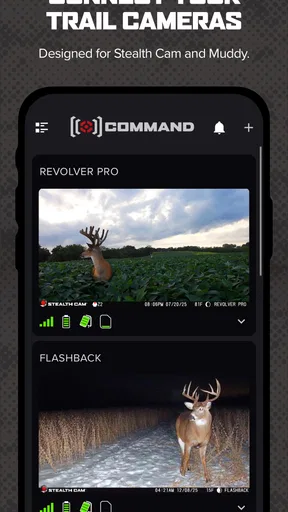
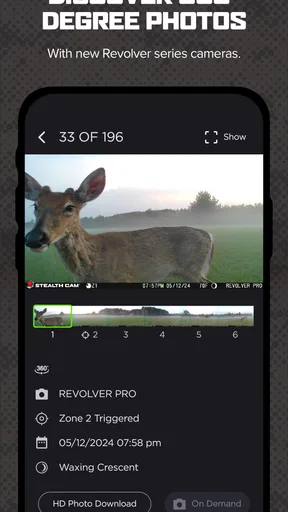
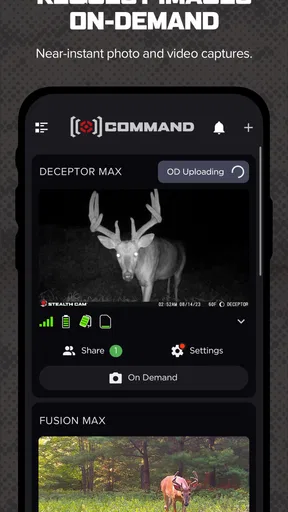
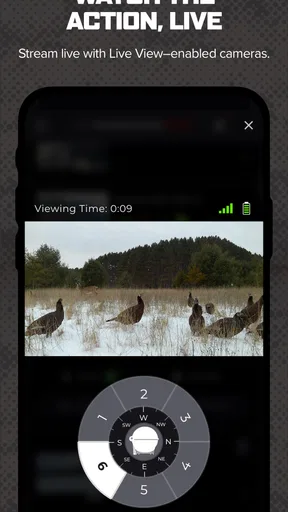
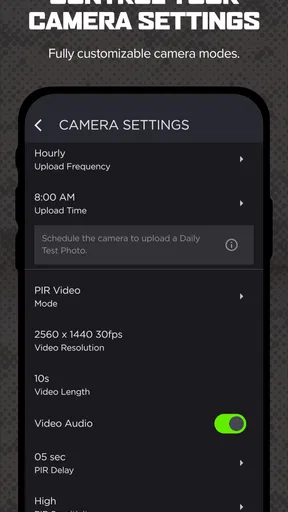
My first impression was that Command makes more sense when viewed as part of a complete workflow. A cellular trail camera is useful because it can send information without requiring a visit to the property. The app is the part that lets you organize that relationship from a phone. Instead of treating the camera as a device you configure once and forget, you can use the app as the place where you check its status and manage the units connected to your account.
That distinction matters for anyone running more than one camera. A single camera might be easy enough to inspect manually, but several units spread across a hunting property quickly create a maintenance problem. Command is aimed at reducing that friction by giving you a central place to work with Stealth Cam and Muddy cellular cameras.
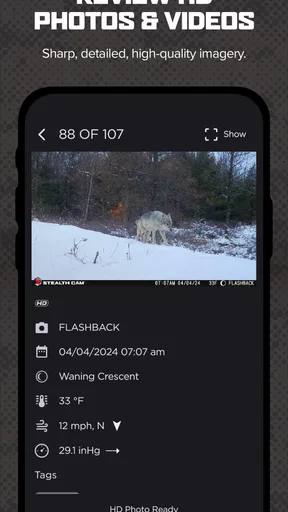
In an everyday scenario, I would use it before leaving for work to review activity from a remote property, then make a quick decision about whether a visit is necessary. If a camera is positioned along a field edge or near a trail that is inconvenient to reach, the ability to manage it from my phone is more valuable than another generic photo gallery. The app’s strongest role is not entertainment; it is reducing unnecessary trips and helping me stay organized.
That convenience should not be confused with complete automation. A phone app cannot replace physical checks of batteries, mounting straps, memory components, weather exposure, or the camera’s actual position. I would still treat Command as a remote management layer, not as proof that a camera is physically healthy in every respect.
Worth Reading Before You Choose

Flipboard Shows What News Apps Must Do Beyond the Feed

Switching to Android Auto Means Rethinking Your Driving Routine

Google Calendar Makes a Crowded Week Easier to Manage

Ludo King Makes the Most of the Minutes Between Plans

Baby Panda World Brings Quick Play to Modern Phones, but Its Game Library Feels Busy

ESPN’s Live Game View Makes Following Close Games Easier
The cost is straightforward, but the hardware still matters
Command is free to download, and the app itself does not present a purchase price that would complicate the initial decision. That makes trying it relatively easy if you already have a compatible Stealth Cam or Muddy cellular trail camera. You can evaluate the app without paying an app-store fee simply to discover whether its workflow suits you.
However, free access does not mean the whole trail-camera setup is free. The camera hardware and whatever connectivity arrangement your equipment requires are separate considerations. I would therefore judge the app as a free companion to an existing outdoor system, not as a no-cost way to create a complete remote monitoring setup.
This is an important value distinction. If you already own compatible equipment, Command can add practical value without adding an app purchase. If you are starting from nothing, the main expense is likely to come from the camera setup rather than the download itself. Since the app is designed around specific Stealth Cam and Muddy cellular products, choosing the application first and the hardware later would be the wrong order.
The age rating is Everyone, which fits the app’s practical purpose. I would still expect the person using it to understand the responsibilities that come with managing outdoor equipment, including checking local hunting rules and respecting property boundaries. The rating describes accessibility, not whether every use of a camera is appropriate in every location.
What I found useful in day-to-day management
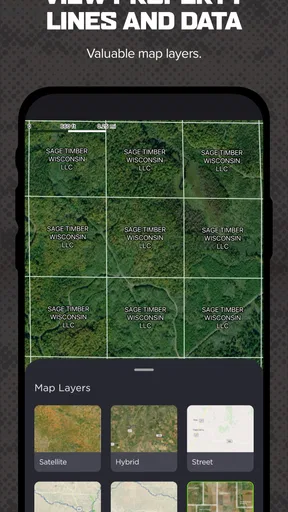
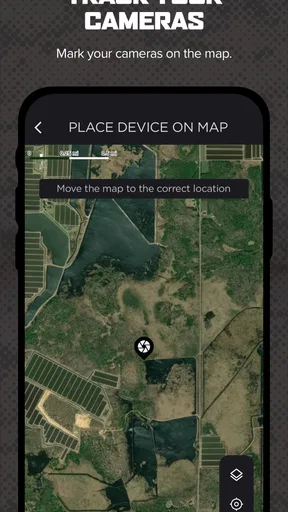
The biggest strength is centralization. When a camera network grows, the mental load is not only reviewing images. You also need to remember which unit covers which area, which location needs attention, and whether a change should apply to one camera or several. A dedicated management app gives that work a more natural home than a mixture of phone notifications, notes, and occasional manual visits.
A second strength is the way remote access can improve decision-making. I would not drive out to a property merely because I had not checked a camera recently. I would first use Command to see whether there is a reason to go. That can save time, fuel, and effort, especially when the cameras are placed on land that is far from home or difficult to reach after rain.
A less obvious benefit is that the app encourages a more deliberate camera routine. Rather than checking devices only when I happen to visit, I can make camera review part of a regular schedule. That helps separate two tasks that are often mixed together: reviewing what the camera has captured and deciding whether the physical unit needs attention.
Another practical insight is to use the app as a planning aid, not only as an alert destination. If several cameras are active, I would keep location names and personal notes consistent outside the app as well, especially if family members or hunting partners share responsibility. A remote dashboard is most useful when the human organization around it is clear. The app can help you manage cameras, but it cannot decide which location deserves a visit first unless you apply your own priorities.
I also see value for land observation beyond hunting. A compatible cellular trail camera may be used to watch access points, monitor wildlife movement, or understand activity around a rural property. Command’s usefulness in those cases comes from the same basic idea: fewer blind trips and a clearer view of what is happening between visits.
Where the experience can become frustrating
The first trade-off is dependence on compatible hardware. This is not a universal camera manager. If your equipment comes from another manufacturer, Command is not a meaningful alternative to that brand’s own app. Even within the supported ecosystem, the exact experience will depend on the camera model and how well the unit is positioned for cellular communication.
That means an apparent app problem may sometimes be a field problem. A camera placed in a weak-signal area, installed with a poor angle, or affected by depleted power can make remote management feel unreliable even when the phone interface itself is working normally. I would avoid judging the entire system after one difficult connection from a remote location.
There is also a psychological trade-off with remote monitoring. Because the app makes it easy to check cameras from anywhere, it can encourage excessive checking. That is not a technical flaw, but it can make the experience less efficient. I get more value when I decide what I need to know before opening the app: recent activity, a particular camera, or whether a site visit is justified.
Another limitation is that remote control cannot remove the need for physical maintenance. A camera can remain mounted incorrectly, become obscured by vegetation, suffer weather damage, or lose power while the app remains installed and accessible. I would schedule occasional in-person inspections even when Command appears to be keeping the system connected.
Users should also be realistic about the learning curve. The app may be simpler than managing each camera separately, but a multi-camera setup still requires careful naming, patience during configuration, and a willingness to understand how the camera and cellular connection behave together. Someone looking for a completely hands-off experience may find the combination of outdoor hardware and remote software more involved than expected.
How it compares with the usual alternatives
The most obvious alternative is manual camera management. That approach costs less in software terms, but it requires physically visiting each unit to inspect or adjust it. For one nearby camera, manual checks may be perfectly reasonable. For several cameras spread across a large property, Command has a clear convenience advantage because it is designed to bring the management task to the phone.
Another alternative is using a manufacturer-specific app from a different camera brand. That may be the better choice if your existing cameras are not Stealth Cam or Muddy products. In that situation, choosing Command because it is free would not create compatibility. The right comparison is not “which app has the most features?” but “which app matches the cameras already installed on my land?”
There is also the option of using separate tools for separate jobs: a gallery for images, notes for camera locations, and occasional visits for maintenance. That can work, especially for a small setup, but it creates more opportunities for information to become scattered. Command’s advantage is concentration. Its weakness is that it cannot replace every supporting tool or every physical task.
I would choose Command over a manual-only routine when distance and camera count are the main problems. I would choose a different brand’s app when my cameras belong to that brand. I would choose a simpler manual approach when the property is close, the number of cameras is small, and remote access would not save meaningful time.
Who is most likely to get real value
Command is a good fit for owners of Stealth Cam or Muddy cellular trail cameras who regularly manage equipment away from home. Hunters checking several areas, landowners observing wildlife, and outdoor users who want a central place for camera control are the people I would point toward it first.
It is particularly useful when a site visit involves a long drive or difficult terrain. In that situation, being able to review the camera situation before setting out can change a wasted trip into a necessary one. The value is not just convenience; it is better timing. You can visit when there is a practical reason to do so rather than following a rigid schedule.
I would also recommend it to people who are comfortable treating technology as one part of fieldwork. The best users will still inspect their equipment, keep track of locations, and understand that cellular performance and power are real-world variables. Command rewards that balanced approach.
I would skip it if I do not own supported cameras, if I only want a general wildlife-identification app, or if I expect the phone to solve every problem associated with a remote camera. I would also hesitate if my cameras are close enough that a quick physical check is easier than maintaining a connected system. Free software is not automatically valuable when it adds complexity without saving time.
Version, platform expectations, and everyday usability
The current version is 6.6.1, and the app requires at least OS 9. That makes the compatibility question fairly simple: before installing, I would check that the phone or tablet I plan to use meets that minimum requirement. The app is available in the Android and iOS ecosystem context supplied for this catalog, but the exact behavior can still vary with the device and the camera hardware being managed.
I would also install it on the phone I actually carry during outdoor work, rather than relying only on an old spare device. Remote camera management is most useful when the app is available during the moment I am making a decision about a property visit. A secondary device can be helpful for shared access, but the primary workflow should stay on a device that is regularly updated and charged.
One useful habit is to review the app before entering an area with poor reception. If I need to make a change or confirm activity, I would do that while I have a dependable connection, not after arriving at a remote location and assuming every action will complete instantly. This is a small workflow adjustment, but it reduces frustration and prevents me from confusing a field connectivity issue with an app failure.
The healthy rating and large installed base make Command look established enough to deserve consideration, but I would not treat popularity as a guarantee for every camera owner. The decisive test remains compatibility with the specific Stealth Cam or Muddy equipment and whether remote management genuinely improves my routine.
My final recommendation for prospective users
After using Command as a focused trail-camera companion, I see its value clearly: it gives owners of supported cellular cameras a free management hub that can make remote monitoring more practical. It is most convincing when cameras are spread out, visits take time, and I need to decide whether a trip is worthwhile before leaving home.
The trade-off is equally clear. Command does not make compatible hardware unnecessary, does not remove the need for physical inspections, and is not a sensible download for people outside the Stealth Cam and Muddy ecosystem. Its usefulness depends on the complete setup, including camera placement, power, connectivity, and the discipline of the person managing it.
My verdict is positive for the right audience. If I owned supported cellular trail cameras, I would install Command because the free app can improve organization and reduce needless travel without asking me to replace my existing workflow immediately. If I had no compatible cameras or only one nearby unit, I would skip it and keep things simpler. Command is worth using when remote camera management solves a real field problem, not merely because the download costs nothing.
Pros
- Simple interface makes common commands quick to find and use.
- Supports efficient workflows for users who prefer keyboard-driven control.
- Commands can reduce repetitive actions and save time.
- Useful for advanced users who want more direct device interaction.
- Lightweight design should work well on many Android and iOS devices.
Cons
- Some commands may require technical knowledge to use correctly.
- A mistaken command could produce unwanted changes or results.
- The feature set may feel limited for users seeking a full automation tool.
- Compatibility can vary depending on the device and operating system version.
- New users may need time to learn the command structure and available options.
FAQs for Command
What is Command, and what can I use it for?
Command is an app designed to help users manage tasks, actions, or workflows from a centralized interface. Depending on the version and platform, it may let you organize commands, access important tools quickly, automate repetitive actions, or control connected services. Before downloading, check the app’s current description because available features can differ between Android, iOS, free, and premium versions.
Is Command free to download and use?
Command may be available as a free download, but some functions can require a subscription, one-time purchase, or in-app payment. Basic access may be enough for casual users, while advanced tools, additional commands, cloud synchronization, or customization options could be restricted. Review the store listing carefully and check the payment terms before starting a trial or entering billing information.
Does Command require an internet connection?
The internet requirements depend on which features you use. Basic functions may work offline if the necessary data is stored on your device, but cloud synchronization, account access, remote controls, updates, and integrations with online services usually require a connection. If you plan to use Command while traveling or in areas with limited coverage, test its offline capabilities before relying on it.
Is Command safe and what permissions does it request?
Command should be downloaded from the official Google Play Store or Apple App Store to reduce the risk of installing an altered version. During setup, review permissions related to notifications, storage, accessibility, contacts, microphone, location, or connected accounts, since the exact requests depend on the app’s functions. Only grant access that is necessary, and consult the privacy policy before linking sensitive services.
Which devices are compatible with Command?
Compatibility depends on the specific Command app, its developer, and your operating system version. Check the official store page for supported Android or iOS versions, required storage, device limitations, and whether certain features need newer hardware. If you want to use Command across multiple devices, also verify whether it supports account synchronization and whether Android and iOS editions offer the same tools.


